
How the Lampasas County Court Calendar Works
Lampasas County uses dated PDF docket lists as its main public calendar surface. The District Court docket index divides the schedule into felony and civil files. A separate County Court docket index publishes constitutional County Court settings. Neither page combines every local court in one search.
Each list is tied to a court, date, and setting type. A downloaded file is a snapshot, not an unchanging promise. Justice of the Peace courts and municipal courts keep separate schedules. The issuing court must be known first.
The split reflects how Lampasas County courts keep their own records. The District Clerk serves district matters, and the County Clerk serves constitutional County Court matters. A city clerk or JP clerk cannot confirm a setting held by another court. Matching the office name on a notice to the heading on the PDF prevents a common error: finding the right date on the wrong court's schedule.
Lampasas County PDF Docket Bulletin
The county index works like a live bulletin. Users choose the felony or civil group, scan for a needed date, and open its PDF. County Court labels include NISI, dismissal, bench trial, motion to suppress, and jury settings. They state the purpose of a docket call, not a final result.
The official Lampasas County docket list shows that calendar surface.
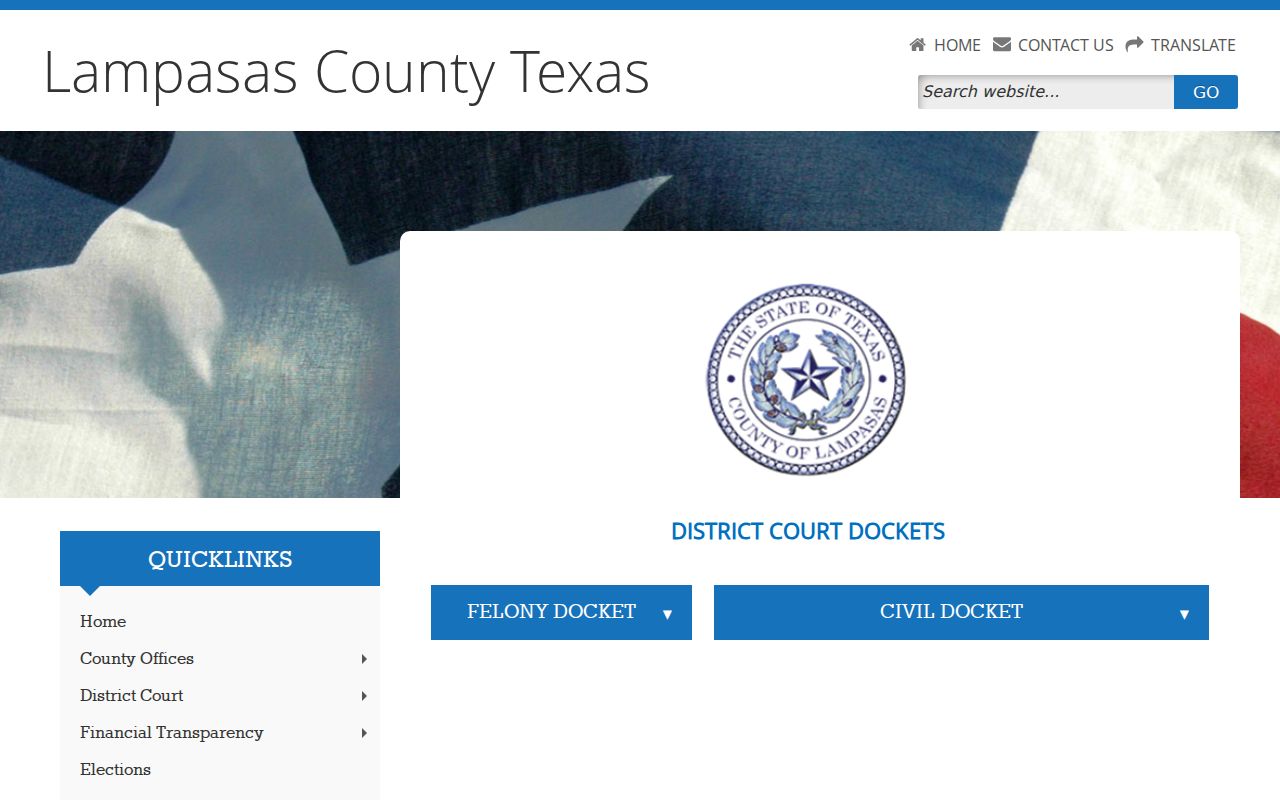
The captured page illustrates why the date and any UPDATED, CANCELED, or SPECIAL SETTING label should be read together.
Lampasas County Court Date Lookups
A complete Lampasas County court date lookup uses all available routes. The PDF is the first step for District or County Court, but a clerk should confirm unclear entries.
- Identify the court from a notice, citation, cause number, or prior filing.
- Open the matching docket index and select the date-specific PDF.
- Try the re:SearchTX Hearings tab when Lampasas County data is available.
- Call or visit the responsible clerk and ask about the public schedule.
- Check any printed calendar at the court after arrival and follow the current docket call.
An attorney may also confirm the setting from filed notice. Note: Recheck the Lampasas County court schedule near the hearing because a saved PDF may have been replaced.
Lampasas County Setting Coordinator
The 27th District Court page directs Lampasas setting questions to coordinator Dee Ann Crawford at 512-556-8271, extension 308, and deeann.crawford@co.lampasas.tx.us. This route helps when a PDF has changed, lacks a time, or conflicts with a notice.
State the court, cause number, published date, and setting. Do not send private merits arguments to court staff. For a County Court, JP, or municipal date, contact that court's clerk instead.
The coordinator route is for scheduling logistics. It does not replace a filed motion when a party wants a continuance, and staff cannot promise that a judge will change a setting. If counsel is involved, scheduling requests should follow counsel and the court's rules. A self-represented party, called pro se on the civil calendar, should ask the clerk which filed notice or order controls without asking for legal strategy.
Court Settings: What Each Field Means
A setting is a scheduled event, not always a trial. Read the whole Lampasas County court schedule row because the time alone cannot show why a person must attend.
| Date | The scheduled day; compare it with the PDF print or update date. |
|---|---|
| Time | The start time, which may be a docket-call time rather than an individual case time. |
| Courtroom | The room or building when printed; confirm an omitted location with the clerk. |
| Judge | The judicial officer or court assigned on the calendar. |
| Setting Type | The purpose, such as bench trial, suppression motion, final hearing, or temporary orders. |
Civil PDFs may also show duration, attorney or pro se status, and print date. Criminal lists may include setting time, offense, disposition, and narrative. Read a disposition with the actual order.
Lampasas County Calendar Labels
Local status words carry real scheduling meaning and should not be translated into outcomes the calendar does not state.
- UPDATED
- A revised docket has replaced the prior publication.
- CANCELED
- The setting will not proceed as posted; confirm a new date.
- SPECIAL SETTING
- An individually set event outside an ordinary docket call.
- NISI docket
- A County Court category that needs its file and order for context.
- Dismissal docket
- A setting for dismissal review or handling, not proof of dismissal.
A bench trial goes to the judge. A jury setting differs. A motion-to-suppress setting does not state how the motion was decided.
When a Lampasas County Court Date Moves
A reset places a matter on another setting. A continuance delays it through court action. Lampasas County may flag a canceled or rescheduled date, and an updated PDF may replace an older one. Disappearance from one file does not prove dismissal.
Compare the current index with the saved file. Check re:SearchTX when available, then call the clerk. Parties should also review formal notices and orders because only the court's record states what was directed.
Use the print date as a freshness clue. A later upload marked UPDATED should take priority over a prior download, but it is still wise to confirm the exact case line. When the index says CANCELED or identifies a date as rescheduled, look for the replacement link and do not guess that all matters moved to the same day. A special setting may follow its own time and notice.
Lampasas County Calendar Routes
No interactive county calendar combines every Lampasas County court. The correct route depends on jurisdiction.
| Court | Calendar Route | Fallback |
|---|---|---|
| 27th District Court | Felony and civil PDFs | District Clerk or coordinator |
| County Court | Dated and category PDFs | County Clerk or court office |
| JP courts | Precinct channels | Call or visit the JP clerk |
| Municipal courts | Separate city systems | City municipal clerk |
The justice-court directory identifies each JP office. A case file lookup, rather than a date check, belongs in Lampasas County docket search.
City boundaries do not decide the court by themselves. A city-issued citation can belong to municipal court, while a state-law citation may be filed with a JP. The court name and citation issuer are better guides than the place where the event occurred. Federal matters follow a separate federal calendar and are not placed on these county PDF lists.
Lampasas County Hearings on re:SearchTX
re:SearchTX adds a statewide layer. Its guide describes Cases and Hearings tabs, filters, wildcard searches, sorting, alerts, exports, and case summaries. It may locate a Lampasas County hearing that is hard to find in a dated list.
Coverage, security, and public detail vary. A result may omit documents. eFileTexas is for filing, not public calendar lookup, so a filing receipt is not a confirmed hearing date.
Note: A blank statewide result does not cancel a Lampasas County hearing shown in an official notice.
Missed Lampasas County Court Settings
Act promptly after a missed Lampasas County setting. Contact counsel, if any, and the clerk for the court that set the event. Give the cause or citation number and missed date. Ask whether a new setting or court action appears in the record.
Missed a Setting? A missed date can have serious case-specific effects, including failure-to-appear action, a warrant, bond consequences, or an adverse civil order.
Call the responsible Lampasas County clerk or your attorney at once and confirm the current case status.
Consult a licensed Texas attorney before appearing if a warrant, bond issue, or other consequence may be involved.
Do not assume that a payment screen repairs a missed setting. Municipal and JP cases use separate procedures set by the issuing court.